
How to Book a Homestay With a Local Host: Step-by-Step
This post contains affiliate links. As an Amazon Associate, we earn from qualifying purchases.
To book a homestay with a local host, pick a property, then book the way that listing actually supports: instant online booking, a WhatsApp enquiry, or a phone call. Confirm the total price, cancellation terms and payment method in writing before you pay, and keep the confirmation for check-in.
Three booking routes exist, and they don’t behave the same way. One takes your card online and hands you an address. Another starts as a message that commits you to nothing until the host replies. A third is a phone call where you’re negotiating like a human being instead of clicking a button. Which one you get depends on the property, not on you. Knowing how to book a homestay with a local host means recognising which of these routes you’re on.
What follows is the full sequence for each route, the details to lock down before money moves, and the one thing that quietly kills a booking that looked fine an hour earlier.
Key Takeaways
- Instant booking means you follow the listing’s own flow — dates, rooms, guest count, price review, payment, then save the confirmation.
- A message or call is only an enquiry. OpenStays states plainly that your stay is booked once you receive confirmation and meet the property’s agreed booking requirements.
- Ask for the final total including taxes and extra charges before paying anything on a non-instant property.
- Get the advance amount, its refundability and the balance due in writing. Verbal agreements evaporate.
- Save your booking details offline. Homestays sit in rural and remote areas where connectivity drops.
How Do You Book a Homestay With a Local Host?
Knowing how to book a homestay with a local host means choosing a property, picking one of its supported booking routes, and confirming the price, terms and payment in writing before money changes hands. The route matters because payment custody differs by platform, and so does the protection you get if something goes wrong.
OpenStays lays out three routes on its own how-it-works page. Instant online booking shows date and room selection directly on the listing. WhatsApp booking runs through the property’s chat option. Phone booking uses the number printed on the listing. Each listing displays only the options that property actually supports.
Homestay booking splits into two mechanisms. Instant booking completes online with date and room selection, immediate price review and a saved confirmation. Enquiry booking runs through WhatsApp or phone, where availability is confirmed manually and the stay is only secured once the property issues written confirmation and the guest meets its stated booking requirements.
That distinction drives everything else. On an enquiry property, you’re not booking when you send the message. You’re asking.
Why Some Properties Can’t Be Booked Instantly
Not every property can be booked instantly. OpenStays says so directly: some properties offer online date and room selection, while others confirm availability and bookings over WhatsApp or phone. The listing tells you which type you’re dealing with before you commit to anything.
If you’ve only used hotel sites, this feels backwards. It isn’t. A small family homestay may not want an automated calendar making promises the host can’t keep during peak season. Manual confirmation is the host’s quality control.
The Homestay vs Hostel Question
Homestays and hostels solve different problems, and mixing them up wastes your first night.
The Instant Booking Route, Start to Finish
The how to book a homestay with a local host instant route is the closest thing to a normal hotel checkout, and the sequence is short. Choose your dates, rooms and number of guests. Review the price, inclusions, cancellation terms and payment requirements. Complete the booking and any required payment, then save your confirmation.
That’s it. Four moves.
The trap is skipping the review step because the price looks reasonable. OpenStays explicitly tells guests to review price, inclusions, cancellation terms and payment requirements before completing an instant booking. Inclusions are where homestays differ from hotels.
Payment Methods That Give You a Recourse
Where accepted, consider paying by credit card. OpenStays notes that a card payment lets you ask your card issuer for a chargeback if an eligible payment dispute arises. The outcome depends on the evidence and the applicable rules, so a chargeback is a process, not a guarantee.
Worth knowing before you start: A chargeback is not a refund. It’s a formal dispute your card issuer adjudicates on evidence. OpenStays states that a refund is subject to review and is not guaranteed, and that chargeback outcomes depend on the evidence and applicable rules.
What Arrives After Confirmation
Once a booking is confirmed, Impact Locals/TMS says you’ll receive booking details and payment instructions, while OpenStays says you pay the property directly and the host handles the reservation, check-in and any help you need. Impact Locals/TMS describes exactly this handoff in its own help documentation: confirmation first, then the practical information you need.
If you booked through Impact Locals/TMS, read the payment instructions carefully when they arrive separately from the confirmation; OpenStays instead has you pay the property directly.
The WhatsApp and Phone Routes: Booking by Enquiry
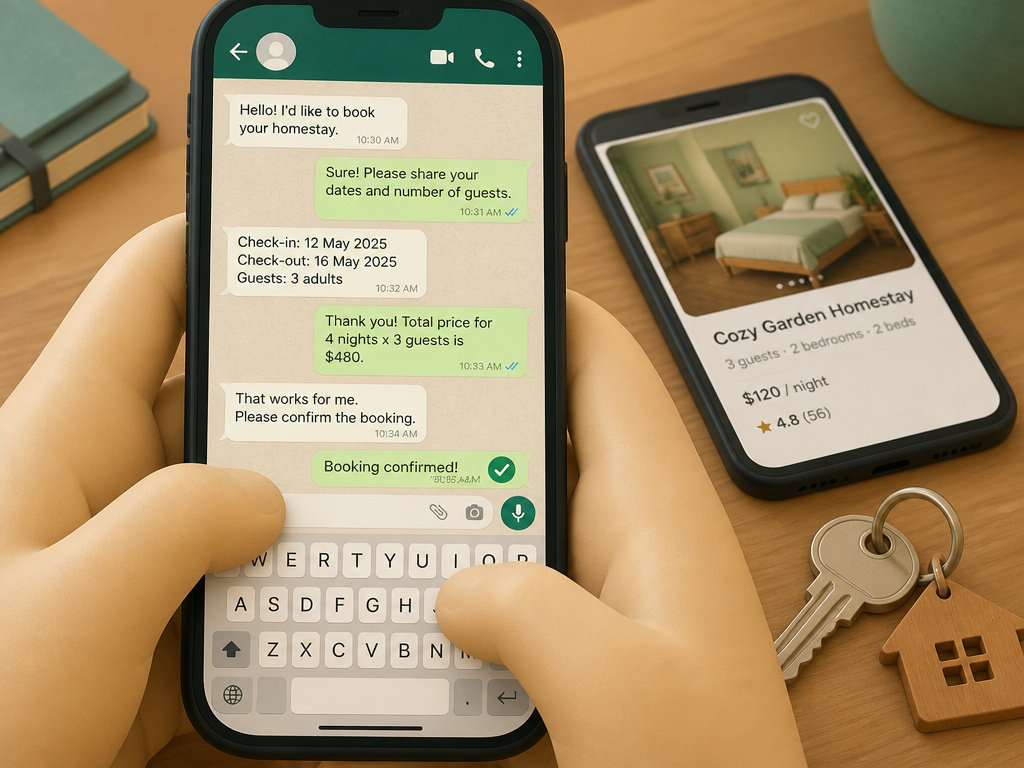
Enquiry booking runs on conversation, and the conversation has a shape. OpenStays recommends sharing your dates, guest count and room preferences through the property’s WhatsApp option, asking about availability, agreeing on the total price and payment terms, and getting the booking confirmed in writing over WhatsApp itself.
Mention that you found the property on OpenStays. It’s a small thing that tells the host you came through a channel they’ve chosen to work with.
Phone works the same way with more friction. Use the number on the listing, discuss availability, and confirm the room, dates, total price, advance and cancellation terms. Then ask the property to send written confirmation. Say you found them on OpenStays when you call.
The Six Things to Agree Before You Pay
On a property without instant booking, OpenStays recommends settling a specific list before any money moves. Skip any one of these and you’re relying on memory and goodwill.
- Dates, room type, guest count and what the price includes. Vague inclusions are the most common source of arrival-day arguments.
- The final total, including applicable taxes and additional charges. The quoted rate is rarely the final number.
- Cancellation, refund and no-show terms. Get these before you commit, not after you need them.
- Whether the property accepts a small token advance with the balance paid at check-in, and negotiate the minimum amount needed to confirm.
- The advance amount, whether it’s refundable, and the balance due, all in writing.
- Payment method. Where accepted, credit card gives you a dispute route; a refund is still subject to review and isn’t guaranteed.
That’s a lot of questions for one WhatsApp thread. Ask them anyway. A host who won’t answer them in writing is telling you something.
Why the Advance Amount Is a Negotiation
The token advance exists because hosts get burned by no-shows, especially in peak season. Impact Locals/TMS recommends booking in advance for exactly this reason: popular homestays fill up quickly.
So negotiate the amount. A modest token advance is reasonable, with the balance paid at check-in. Get the number and its refundability in writing either way.
Where this goes sideways:
What Sources Disagree On: Payment Custody and Cancellation
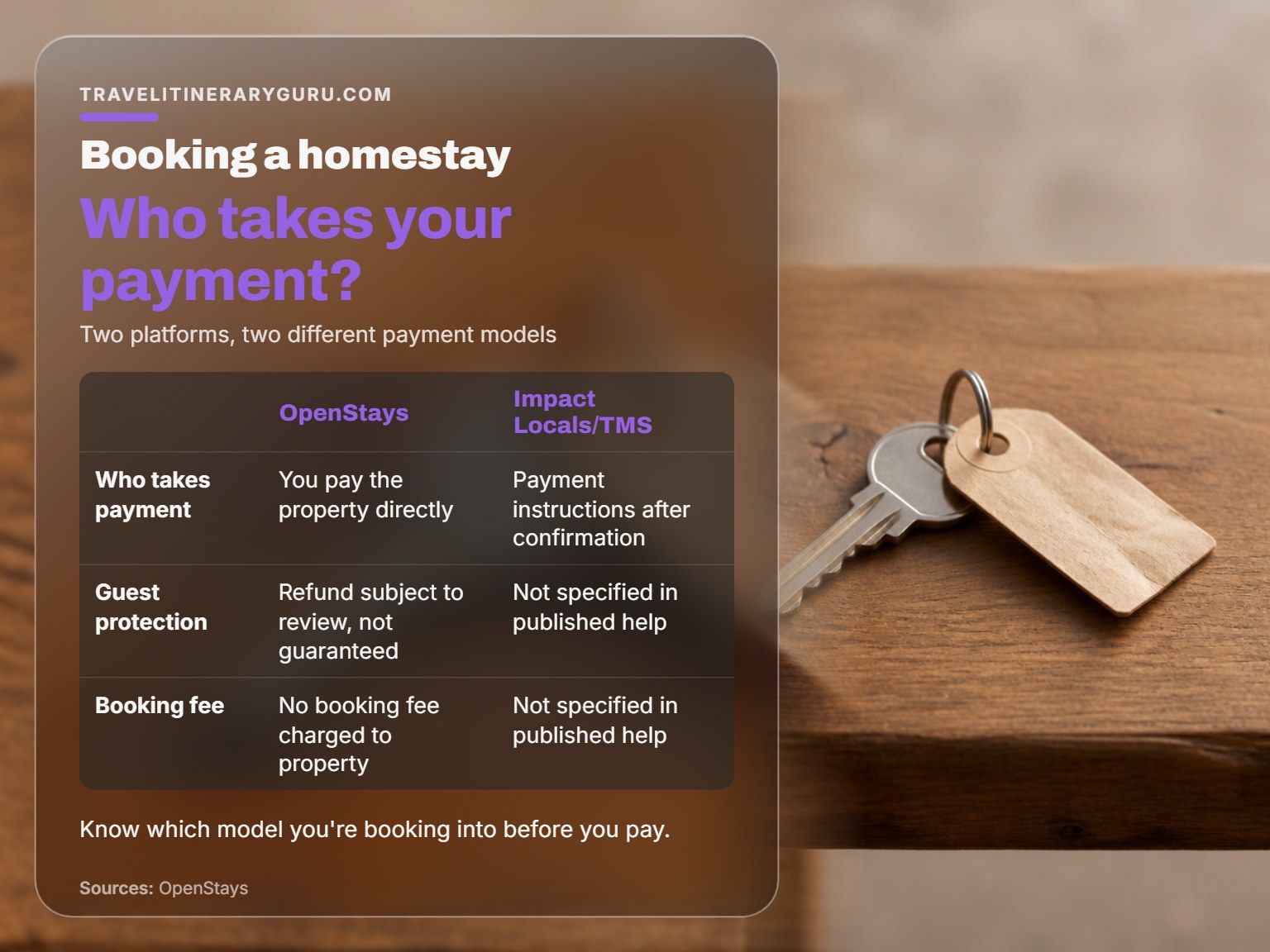
Payment handling is where the platforms genuinely diverge, and pretending otherwise would be dishonest. Three operators, three different models.
| Platform | Who Takes Payment | Guest Protection |
|---|---|---|
| OpenStays | Guest pays the property directly; no booking fee charged to the property | Refund subject to review, not guaranteed |
| Impact Locals/TMS | Payment instructions issued after confirmation | Not specified in published help |
OpenStays takes no payment at all and states plainly that you pay the property directly, with the host handling the reservation, check-in and any help you need. Impact Locals/TMS issues payment instructions only after a booking is confirmed, while OpenStays says you pay the property directly and the host handles the reservation and check-in.
OpenStays states that refunds are subject to review and are not guaranteed, and that chargeback outcomes depend on the evidence and applicable rules. Those are opposite consumer-protection positions for the same kind of transaction.
Know which model you’re booking into before you pay. It changes what you do when something goes wrong.
The Booking-Fee Question
Booking fees vary by platform, and the difference shows up in the rate you’re quoted. OpenStays states that it does not charge the property a booking fee, and argues that lower distribution costs give properties room to offer a better direct price.
OpenStays also claims direct bookings can save up to 25%, but qualifies that heavily: savings vary by property, dates, room type and booking terms, and up to 25% is not a guaranteed saving on every stay. Compare final payable totals for the same room, dates and inclusions rather than trusting the headline number.
That’s the honest version of a discount claim, and it’s worth reading twice. A cancellation policy on a flexible rate is often worth more than a percentage off a locked-in one — a point that holds whether you’re booking a hotel or a homestay.
The Verified-Guest Discount and How to Actually Get It
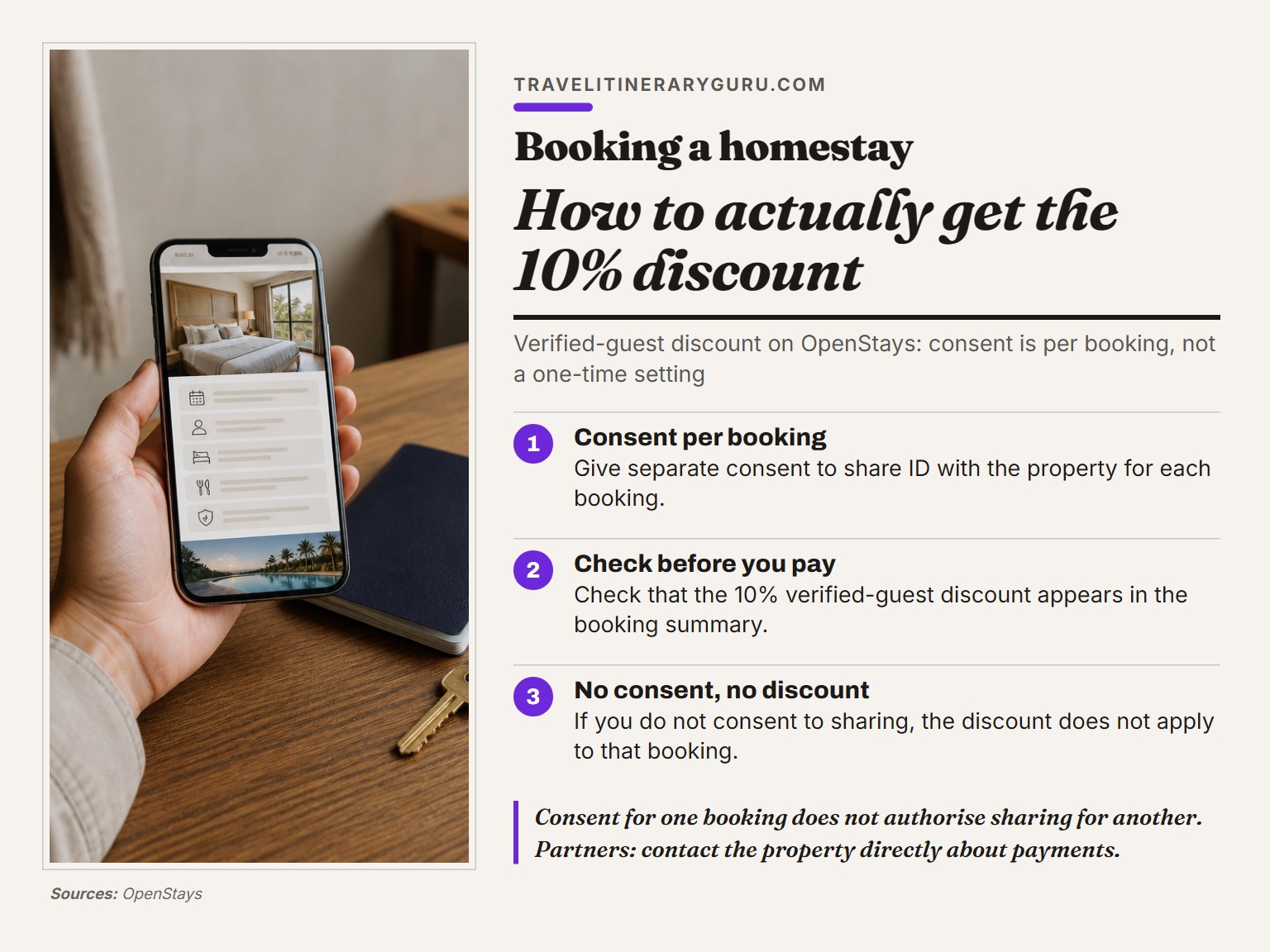
OpenStays offers a 10% discount for verified guests, and the mechanics matter because it’s easy to lose. You submit your ID through the verification process, then give separate consent to sharing it with the selected property for each booking. That consent applies per booking, even if you’ve stayed at that property before.
Check that the 10% discount appears in the booking summary before you pay. If it isn’t there, it isn’t applied.
Here’s the part people miss: consent for one booking does not authorise sharing for another, and if you don’t consent to sharing, the verified-guest discount doesn’t apply to that booking. It’s a per-booking decision, not a one-time setting.
OpenStays also runs a 10% partner discount or referral fee for travel agents, tour operators, corporates and similar partners. Partners should contact the property directly about payment amounts, timing or outstanding balances.
When the Discount Won’t Follow You
If you’ve booked through a partner or an agent, or if you’ve declined ID sharing for a specific stay, the discount won’t appear. That’s the design, not a glitch.
If the 10% verified-guest discount isn’t showing in the booking summary, don’t pay and hope. Sort it before the payment screen, because retroactive discount requests are a conversation you don’t want to have with a host who’s already confirmed your room.
What Breaks a Booking That Looked Fine
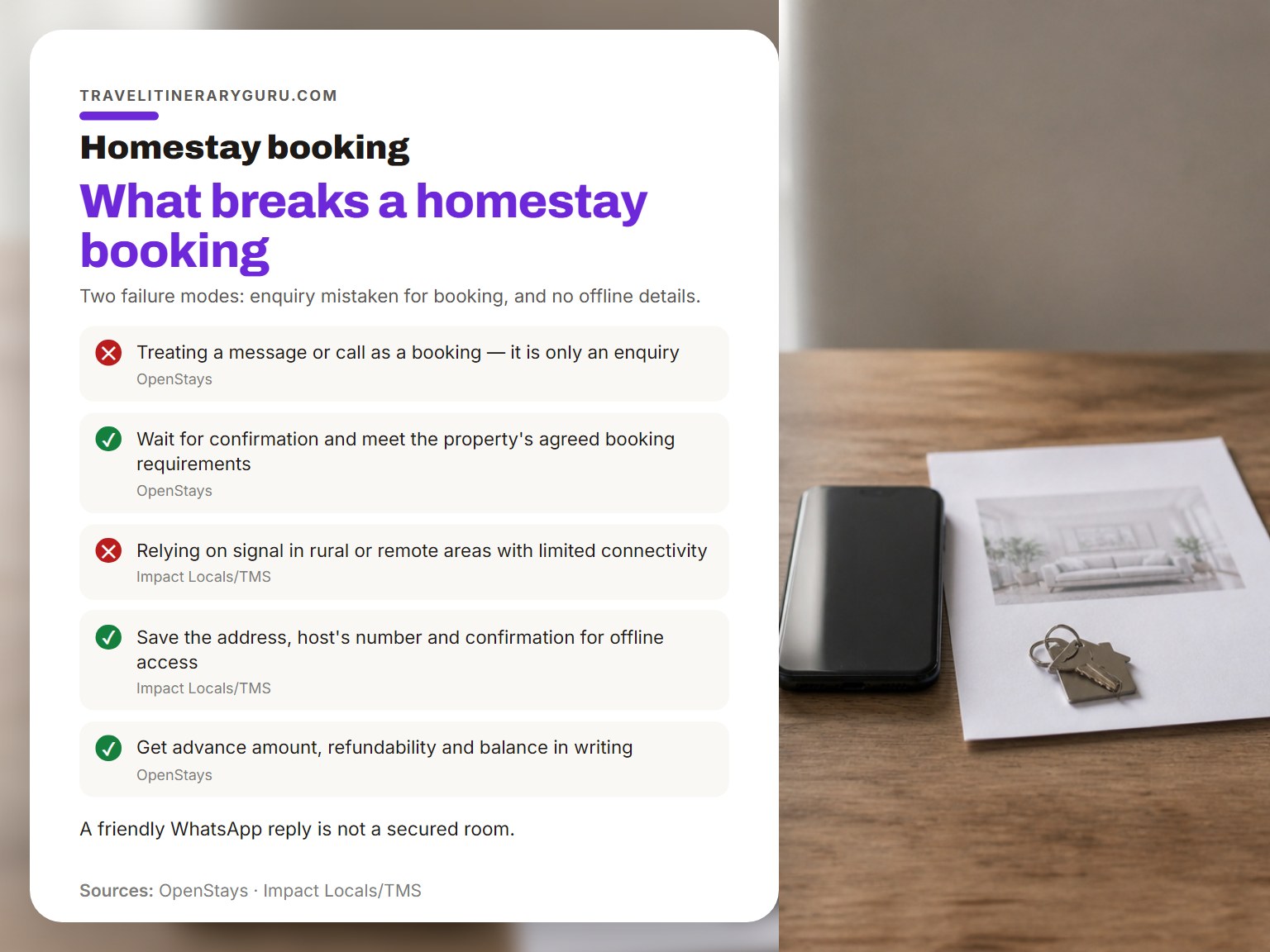
Two failure modes account for most homestay booking disasters, and neither involves a scam.
The first is treating an enquiry as a booking. OpenStays states that a message or call is an enquiry, and your stay is booked only once you receive confirmation and meet the property’s agreed booking requirements. Guests who assume a friendly WhatsApp reply means a secured room show up to a host who rented it to someone else.
The second is connectivity. Impact Locals/TMS notes that homestays are often in rural or remote areas with limited connectivity, and recommends saving the homestay details for offline access before your trip. Screenshot the address, the host’s number and the confirmation. Don’t rely on signal.
| What Went Wrong | Likely Cause | Prevention |
|---|---|---|
| Arrived, no room held | Enquiry treated as confirmed booking | Wait for written confirmation before travelling |
| Couldn’t find the property | Details only available online | Save address and host number offline |
| Deposit dispute at check-in | Advance terms never written down | Get amount, refundability and balance in writing |
The Human Side of the Booking
A homestay works because a real person decided to host you. Impact Locals/TMS recommends being open-minded, noting that homestays offer authentic experiences which may differ from hotels, and respecting local customs, since hosts appreciate genuine interest in their culture.
That’s not decoration on top of the transaction. It’s the transaction. A guest who arrives curious and prepared gets a different stay than one who treats the host like a front desk.
If your instinct is to meet people rather than just pass through, the same skills apply here: meeting locals on the road is mostly about showing up with genuine interest and a little patience. And if you’re travelling solo, solo travel safety practices matter more in a private home than in a hotel with a 24-hour desk.
Frequently Asked Questions
Is a homestay booking confirmed as soon as I send a message?
No. OpenStays states that a message or call is only an enquiry, and the stay is booked once you receive confirmation and meet the property’s agreed booking requirements. Wait for written confirmation before you treat the room as yours.
Do I pay the platform or the host?
It depends on the platform. OpenStays says you pay the property directly, with the host handling the reservation and check-in. Impact Locals/TMS issues payment instructions after confirmation, while OpenStays says you pay the property directly and the host handles the reservation and check-in.
What should I confirm before paying a deposit?
Get the advance amount, whether it’s refundable, the balance due and the booking confirmation in writing. Also confirm the final total including applicable taxes and additional charges, plus the cancellation, refund and no-show terms.
Can I get the 10% verified-guest discount on every booking?
Only if you consent to ID sharing for that specific booking. OpenStays states that consent for one booking does not authorise sharing for another, and if you don’t consent, the discount doesn’t apply. Check the booking summary before paying.
What if the property has no instant booking?
You’ll confirm availability over WhatsApp or phone instead. OpenStays recommends agreeing on dates, room type, guest count and price inclusions first, then negotiating a token advance with the balance at check-in.
Should I pay by credit card for a homestay?
Where accepted, a credit card gives you a chargeback route for an eligible dispute. OpenStays notes the outcome depends on the evidence and applicable rules, and a refund is subject to review and not guaranteed. Cash offers no dispute route at all.
The Bottom Line
Here’s the practical rule: on any property without instant booking, never send money before you have written confirmation of the advance amount, its refundability and the balance due. That single habit prevents almost every homestay booking disaster.
Your first step this week is small. Pick the property you’re considering, check which booking route its listing supports, and if it’s an enquiry property, send the WhatsApp message with your dates, guest count and room preference. Ask for the final total including taxes. Then wait for the reply before you do anything else.
One concession worth stating plainly: this all changes if you’re booking through a partner or agent. In that case the payment conversation runs between the partner and the property directly, and your job is simply to keep your own confirmation and receipts handy for check-in. Different route, same principle.
And if the host won’t put the terms in writing, that’s your answer. Book somewhere else.
