
How to Create a Shareable Travel Itinerary: Who Gets What
This post contains affiliate links. As an Amazon Associate, we earn from qualifying purchases.
To create a shareable travel itinerary, match the format to the audience: a navigation layer for companions who need to arrive and meet, and a separate summary for the people staying home. Sources disagree on the split: Evernote advises giving everyone going the same copy, TripNoted advises a separate summary for family at home, and Tripappia advises matching the format to the purpose. They also disagree on who should hold the master copy.
That disagreement about how to create a shareable travel itinerary matters more than any formatting tip, so we begin there.
A paper trip plan left with a friend and a live shared link in your group chat are two different answers to how to create a shareable travel itinerary. The National Park Service wants a static document in someone else’s hands. TripIt and TravelJoy want a living artifact you keep re-sharing. Tripappia wants a private master with layered subsets. Pick the wrong model for your trip and you’ll either bury your companions in detail they don’t need, or leave the person watching your dog with nothing useful.
What follows: the four sharing models and who each one fits, the exact fields worth putting in a shared plan, what read-only actually hides, and the five-point check on how to create a shareable travel itinerary to run before you walk out the door.
Key Takeaways
- Separate navigation from decision-making. If a detail helps someone arrive, meet, or time their day, it goes in the shared plan. Budget limits and “maybe we’ll do this” ideas stay private.
- Read-only shares hide more than you think. TripIt’s SMS, email, and third-party share option strips confirmation numbers, total cost, frequent traveler information, and documents.
- A screenshot is a one-way door for some sources. TripNoted advises using a screenshot to help someone find a meeting point quickly, while Tripappia warns screenshots become unsearchable, uneditable clutter by day three.
- Check the recipient’s actual view before departure. Ask one person to open the plan on the phone they’ll carry. A quick check now beats a stranded arrival.
- The person staying home needs a different document. Dates, accommodation contact, and check-in arrangements. Not your restaurant shortlist.
The Four Sharing Models (and Who Each One Actually Fits)
A shared Google Doc, a vendor app with permission tiers, a private master with layered exports, and a paper plan left with a trusted contact. Those are the four real options, and they’re not interchangeable.
The National Park Service model is the oldest and the most misunderstood. The National Park Service trip plan guide defines a Trip Plan as a written plan capturing your itinerary and plans for a national park or wilderness area, shareable with Search and Rescue authorities if you don’t return when expected. A Trusted Contact is someone not going on the trip with you. The plan can be printed or emailed before you leave.
Here’s the part that trips people up: the park will not accept your plan. NPS says explicitly not to leave it with the park. It goes to your Trusted Contact or nowhere.
The vendor app model works differently. TripIt offers sharing through private invitation, social media, iMessage on iOS, a public URL on the web, and Inner Circle for Pro users. Private invitations carry three permission tiers: Can view, Can edit, and Can edit and is traveling. TravelJoy takes a third approach entirely, where each group can have only one itinerary and that itinerary is the client’s “source of truth.”
Tripappia’s model is the outlier. Keep one master version private until you’re ready to send it, then share layered subsets: trip overview, day cards, map context, time reminders, notes.
| Sharing Model | Best For | Who Holds the Master |
|---|---|---|
| NPS paper Trip Plan | Wilderness trips, solo hikes | A Trusted Contact who stays home |
| Vendor app with tiers | Group trips with a planner | The traveler or agency |
| Private master + layers | Mixed audiences, varied needs | You, until you send it |
| Shared document | Short trips, written-plan people | Everyone with edit access |
Which one wins? For any trip where someone at home needs to raise an alarm, run the NPS model alongside whatever else you’re doing. It costs you one email.
Why the sources disagree on who holds the plan
NPS treats the itinerary as a document you hand off. TripIt and TravelJoy treat it as a live artifact you keep. Tripappia splits the difference with a private master and public layers.
None of them are wrong. They’re answering different questions. NPS is answering “how do we find you if you’re overdue.” TripIt is answering “how do we keep the group on the same page.” If you’re doing a backcountry trip with a group, you need both, and they’re two separate documents.
I see this advice a lot, and here’s why it falls apart on the ground: people try to make one document do both jobs. The result is a shared plan with your emergency contacts buried under a restaurant shortlist, or a bare-bones SAR plan that nobody in your group can actually use to find the trailhead.
A Trip Plan is a written record of travel details, expected return date and time, and activity details, shared with a Trusted Contact who is not traveling with you. Search and Rescue authorities use it to locate an overdue party. The more detail the plan contains, the more help it provides in an emergency.
What Should a Shareable Travel Itinerary Actually Contain?
Four categories of information, and one of them is the one everybody forgets.
Travel days first: flight or train numbers, departure and arrival dates, local times. Your stay next: accommodation name, address, check-in time, and any arrival instructions the group needs. Daily plans after that: booked activities, meeting points, start times, and a little space between commitments. Then the category people skip, which is the getting-together logistics.
Who arrives separately, where you’ll meet, and who to contact if plans change. TripNoted flags this as a real gap: travelers arriving independently need a distinct meeting point and contact, which a single chronological day block doesn’t capture.
The NPS template covers travel details, expected return date and time, and activity details. It’s built for a day-long or overnight trip. Longer visits or large groups need multiple pages or extra paper.
Worth knowing before you start: The NPS template is scoped for a day or an overnight. Stretch it across a two-week trip without adding pages and you’ll leave gaps that matter to SAR.
What about the actual fields? Evernote’s six-step method is the most commonly repeated structure, and it’s worth knowing even if you don’t follow it exactly: collect every booking with its fixed time and reference number, lay out one block per day split into morning, afternoon, and evening, place every booked item in its slot first, add one main thing per day, keep a few hours open with a rainy-day option, then share and keep it updated.
That’s solid. It’s also on every top-ten list, so it isn’t where your advantage lives.
Read-Only Isn’t the Same as Safe
TripIt’s read-only share strips confirmation numbers, total cost, frequent traveler information, and documents. That’s not a setting you toggle. It’s what the share option does by design.
Only the Can edit and Can edit and is traveling permission tiers expose those fields. And the SMS, email, and third-party share option won’t add the trip to the recipient’s TripIt account even if they have one, so they can’t accidentally inherit your booking details.
TripNoted handles this differently. A view link lets anyone holding it see the full itinerary, but linked emails stay hidden. An edit link requires the recipient to sign in and join, and it includes costs and linked emails. Neither link grants access to your Gmail mailbox.
TripNoted advises checking who actually needs the booking references and private arrival details, because your travel companions may need more than a friend staying at home, and keeping passport images, payment information, and private access instructions out of a widely shared summary. Evernote, by contrast, advises placing every booked item with its confirmation number and keeping a Documents section for passport or REAL ID, visa or travel authorization, and insurance.
Tripappia draws the line at decision content: if a detail helps someone navigate or join the trip, share it; if it only helps you decide, keep it in the private version, with budget limits, tradeoffs, and “only if we feel like it” ideas staying out of the shareable copy. Evernote’s template, by contrast, includes a Budget field and a Documents section, suggesting budget and document details belong in the shared plan.
| Platform | What View-Only Hides | What Edit Exposes |
|---|---|---|
| TripIt | Confirmation numbers, total cost, frequent traveler info, documents | All of the above |
| TripNoted | Linked emails | Costs and linked emails |
| Tripappia | Whatever you keep in the private master | Nothing by default |
Common mistake: Sharing a Google Doc as “Anyone with the link.” That setting lets any recipient forward it on. TripNoted advises keeping the doc Restricted when the plan should only reach people you’ve granted access to.
The Screenshot Argument, Settled
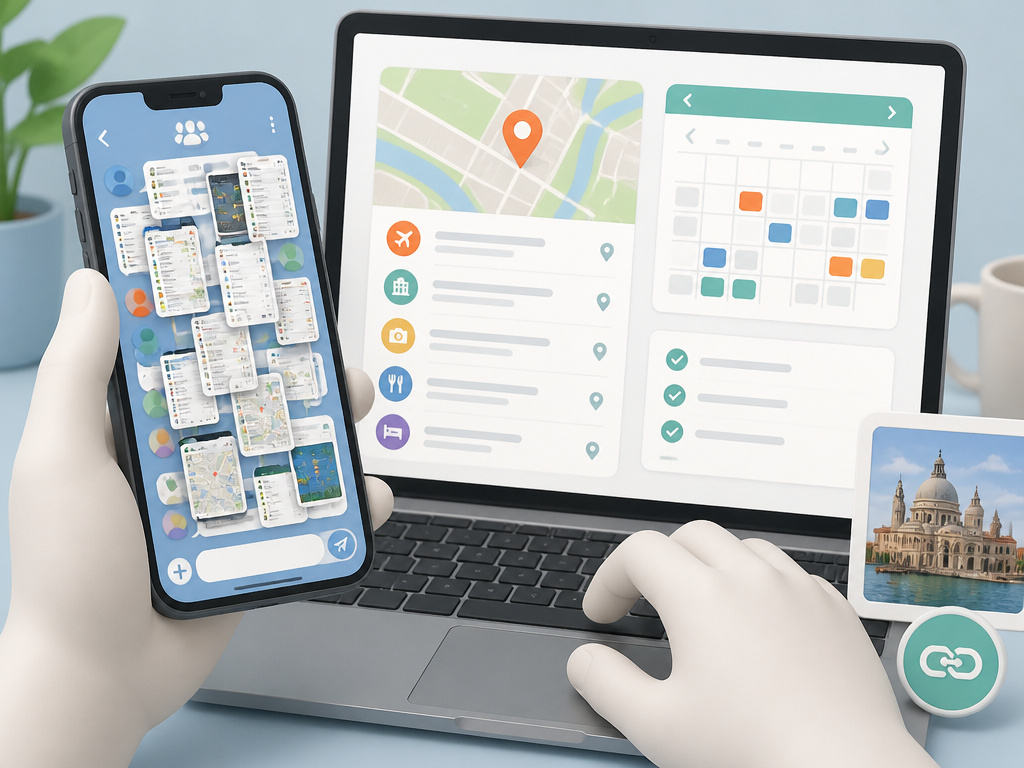
Two sources disagree on screenshots, and both are right about different things.
TripNoted suggests a screenshot can help someone find a meeting point quickly. That’s true. A single image of “here’s the corner, here’s the café” is faster than three taps into a shared doc.
Tripappia argues screenshots are hard to edit, search, and update, and often hide map context. A calendar export or map link preserves more useful detail.
Both positions hold because they’re describing different moments. A screenshot is a fine one-time aid for a specific meeting point. It’s a terrible primary artifact for a longer trip.
Where this goes sideways: Letting the group chat fill with screenshots of the plan instead of the plan itself. Before long, nobody can find the current version, and the group is working from different snapshots.
Tripappia’s Google Maps walking links can group up to four places, which keeps a morning or neighborhood cluster readable in a way a screenshot can’t. For a day of sightseeing, that’s the better share.
The same argument applies to photos. TravelJoy advises at least one high-resolution photo per item for the best layout, while Tripappia says a shareable plan usually needs only a few images: one landmark photo for recognition, one map snapshot if needed, or one accommodation image if the building is hard to spot. Too many images bury the structure.
If you’re building a plan with many photos for a group, TravelJoy’s layout advice wins. If you’re sharing with someone who just needs to find the accommodation, Tripappia’s restraint wins.
One Copy or Many? The Version Drift Problem
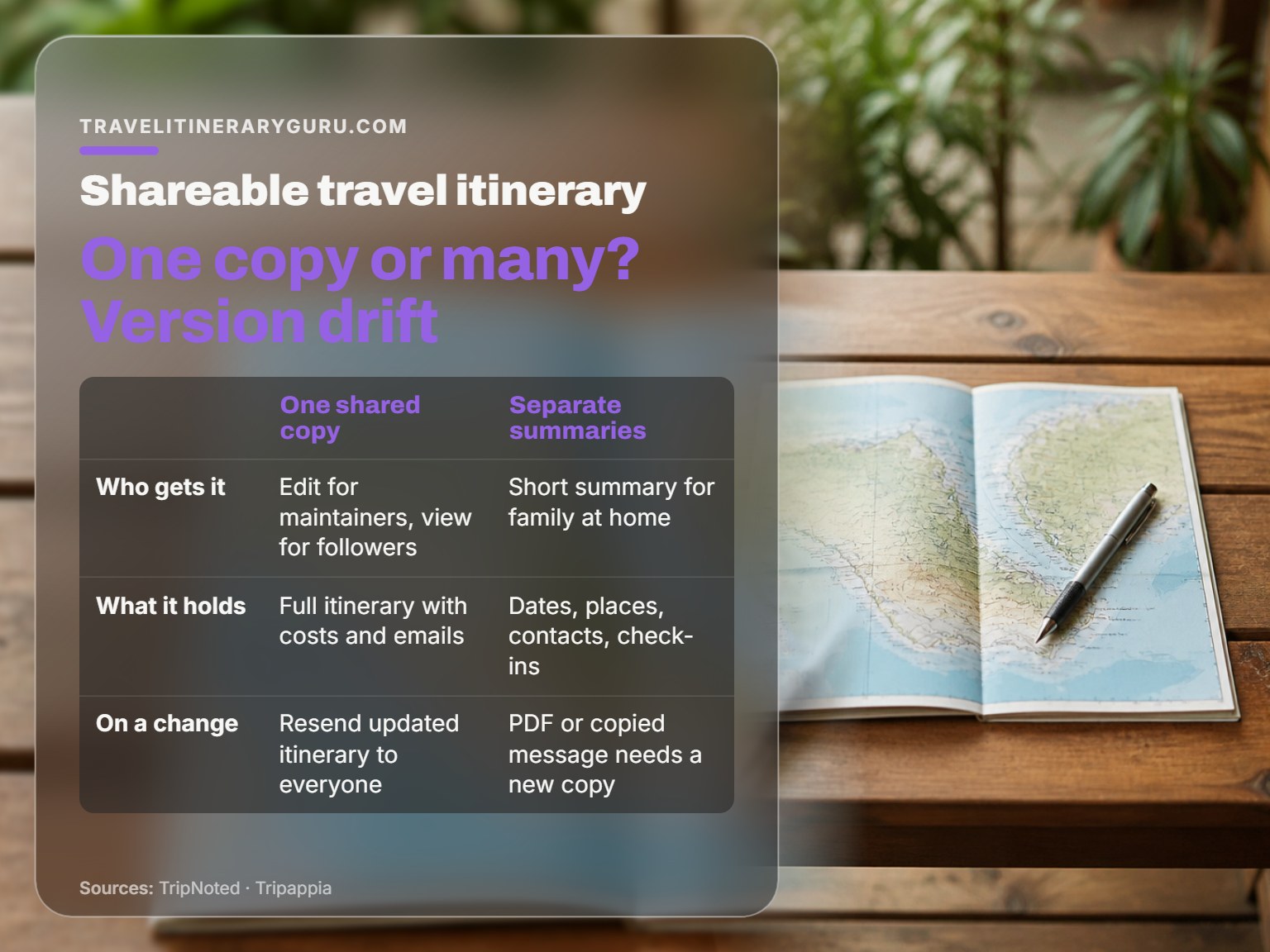
Evernote says give everyone going the same copy and change it there when plans change. TripNoted says make a separate summary for family at home. Tripappia says match the format to the purpose, because a partner may want the full itinerary while a friend only needs the rough outline and meeting point. These are not the same rule; they disagree on whether one copy or several should circulate.
All three are describing the same failure from different angles: version drift.
The moment you have two copies, someone’s working from a stale one. The fix isn’t fewer copies. It’s a clear rule about which copy is authoritative and who’s responsible for it.
TripNoted’s worked example is worth stealing. Sam organizes the trip, Lea books dinner, Ravi arrives later. Sam keeps the main itinerary current. Lea gets edit access to add the restaurant and meeting time. Ravi gets view access so he can find the stay and join the group. When dinner moves from 7 to 7:30, Lea updates the itinerary and sends a short message: dinner is now 7:30, same restaurant, the trip has the new time.
The itinerary holds the detail. The message draws attention to the change. That’s the whole system.
Tripappia adds a useful layer: send one shared draft and label what’s firm versus flexible. Firm is flight dates, base hotel area, booked train departures. Flexible is museum order, dinner choice, optional stops, rain backups.
Easy to miss: Changes need a connection to reach other people. If you update the plan at a trailhead with no signal, nobody sees the new version until you’re back in range.
If you’re sharing costs with a group, keep the money conversation out of the shared plan. TripIt hides total cost from view-only shares. Splitting costs with friends belongs in a separate thread, not in the document everyone opens to find the meeting point.
How Do You Share a Plan With Someone Who Won’t Open an App?
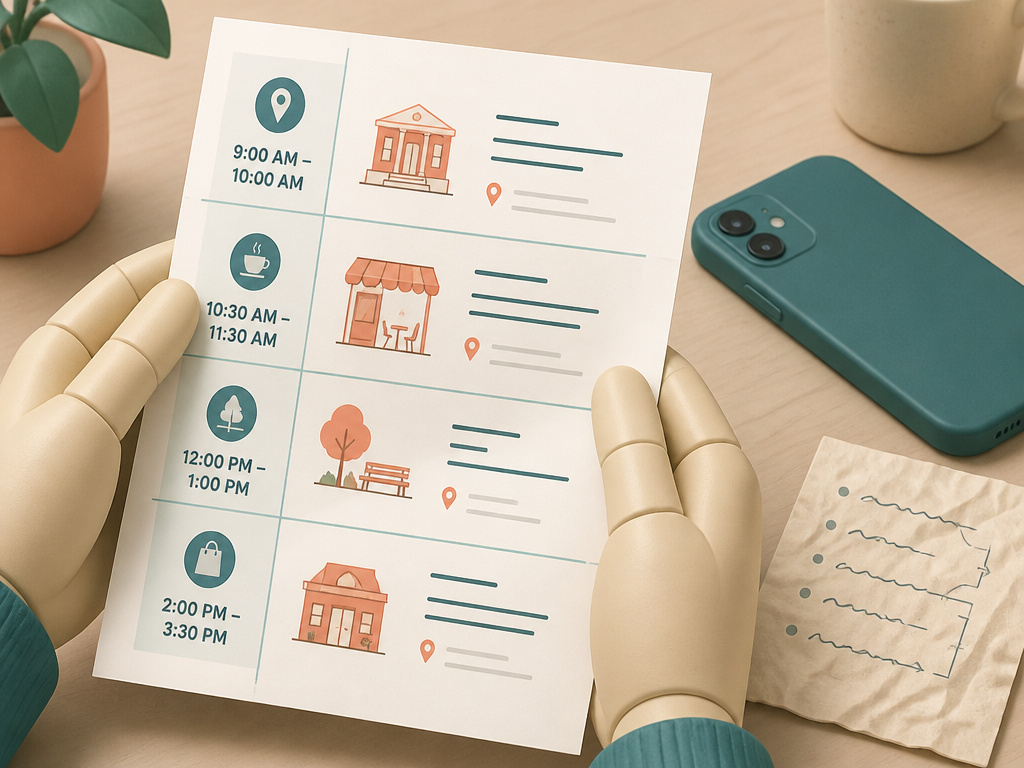
You don’t. You send a PDF or a printed page, and you accept that it’s a snapshot.
TripNoted is direct about this: a downloaded PDF or copied message remains a separate snapshot and will need a new copy. That’s a feature for some audiences and a bug for others. For family at home, a snapshot is exactly right. For a companion who needs to see the latest change, it’s wrong.
I once built a genuinely beautiful shareable itinerary for a group trip. Laid it out in Notion, cross-linked every day, added photo cards. Nobody opened it. What got used was a screenshot of a hand-written list someone had scrawled on a napkin.
Now I share a short PDF with times and addresses and nothing else. No commentary, no links, no context. People read it. I stopped pretending anyone wanted my long planning notes.
That lesson scales. The shareable plan earns its keep when it’s short enough to scan and specific enough to act on. Everything else is for you.
Skip this if: You’re traveling solo and your only audience is a person at home. Send them dates, accommodation contact, and check-in times. That’s the whole document.
The Five-Point Check Before You Leave
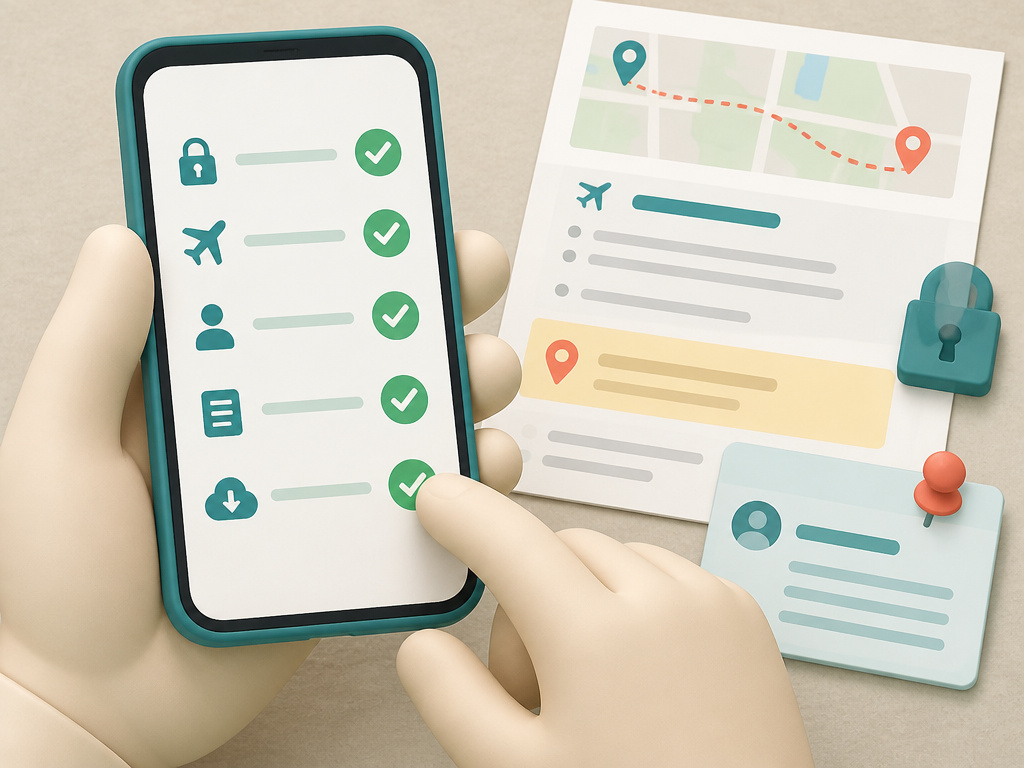
TripNoted lays out a pre-departure check that catches nearly every failure mode. Run it on one recipient, not all of them.
Access: can they open the link, and use the invited account if sign-in is required? Correct trip: are the dates and people right, with no unrelated trip shared by mistake? Correct role: can a reader view the plan, and can the intended planner edit it? Useful detail: can they find the arrival address and next meeting time without asking you? Offline preparation: have they saved what they need on the phone they’ll carry?
If a document won’t open, check the invited email address, the current access setting, and any work-account restrictions. For a shared trip, verify you sent the right trip link and that it’s still enabled. TripNoted’s warning here is worth repeating: don’t make private information public just to get past an access problem.
Before you leave signal behind, reopen the current plan and keep an arrival backup. A screenshot of the arrival address on your own phone counts.
What most people get wrong: Sending the plan and assuming it landed. The recipient’s view is the only version that matters, and you haven’t verified it until they’ve opened it.
For a longer visit, keep the shared plan easy to reach. TripNoted’s guidance: changes get buried under old images in a busy chat. Pin the message if your chat app supports it.
Frequently Asked Questions
Can I share a travel itinerary for free?
Yes. TripNoted includes trip sharing in its free tier with Can view or Can edit access. A shared Google Doc costs nothing, and a paper NPS Trip Plan costs a sheet of paper. The paid tiers in most apps buy you automation, not the ability to share.
Should everyone on the trip get edit access?
No. TripNoted’s rule is the right one: edit access for people who will maintain the plan, view access for companions who only need to follow it. Agree who owns each decision so two people don’t book the same dinner or overwrite the same day.
What’s the difference between a view link and an edit link?
View link shows the itinerary but hides linked emails on TripNoted, and hides confirmation numbers, total cost, and documents on TripIt. An edit link exposes those fields and, on TripNoted, requires the recipient to sign in and join before they can change anything.
Do I need a separate plan for family staying home?
Yes, and it should be short. TripNoted suggests dates, accommodation contact, and when you expect to check in. Choose what they need to know rather than giving everyone the same level of detail. That document is the one your Trusted Contact actually uses.
Is a screenshot good enough for sharing?
For a single meeting point, yes. For a multi-day plan, no. Tripappia’s point stands: screenshots are hard to edit, search, and update, and they hide map context. A calendar export or map link preserves more useful detail.
The Bottom Line
One rule I’d put above every other piece of sharing advice: if your plan is longer than a short summary, you’ve built it for yourself and are calling it a shareable itinerary. Cut it down to times, addresses, and meeting points. Keep the rest in your private master.
The threshold that changes everything is a longer visit or a large group. Past that, the single-document approach starts to break. Split the trip into sections (arrival day, city days, departure logistics) and share each chunk with the people who need it. A large group with one shared plan is a large group with multiple versions of the plan before long.
Fair warning on one thing: this all assumes a group that will actually open a link. If your travel companions are the type who screenshot napkin lists, meet them where they are. Send the PDF. Send the screenshot. Just keep the master copy in your own hands, updated, so you’re the one who knows what’s current.
Start with what you love, then build the days around it. The sharing layer comes last, and it should be the shortest document you write all trip.
